
 Join our Discord
Package Description:
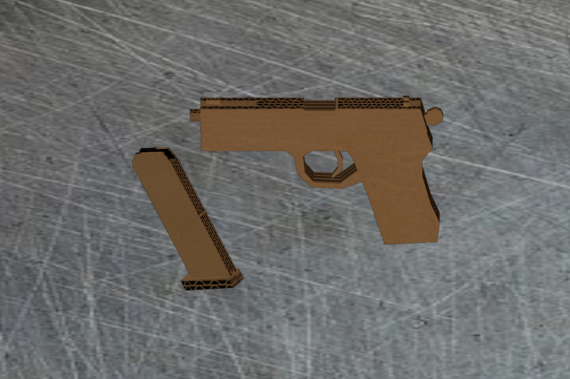
Its a cardbord pistol, what else do you need?)
New, custom shooting sound, that streamed
+ one handed holding animation
I made this one an open source for those, who want to study how to stream a custome sound.
Feel free to tear it apart, but do not resell.
Model parameters:
- The models is optimised for multiplayer (low poly)
- Diff textures are 1024x1024 or lower (same for bump and spec)
- Custom holding, running animations. Hold it like a toy gun:)
How to install:
1. Unpack the file
You will receive .zip pack.
.zip contains one folder.
Extract this folder into your server’s
resourcesdirectory.
2. Add resource to server.cfg
Open your server.cfg file.
For folder you added, type:
ensure folder_nameReplace folder_name with the actual folder’s name.
(Example: the folder is calledtoyp, you writeensure toyp)
Upper and lower case letters are very important!
Folder name must be spelled exactly.
3. Spawn weapons in-game
Launch your FiveM server.
Open a trainer (e.g. Simple Trainer, Menyoo, etc.).
To spawn a weapon, use the folder name you added in server.cfg.
Always add weapon_ before the folder name.
Example: if the folder is
toyp, you spawn it with:weapon_toyp
- Same goes for a sound streaming folder